
CronoActive2.9 - Google Play
You'll be able to see results in few seconds.
Publisher Description
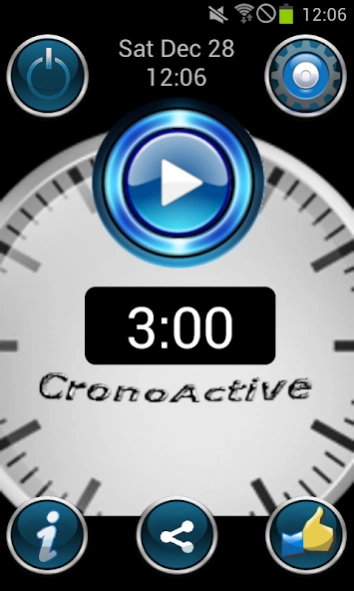
A one-click countdown alarm clock.
CronoActive, a one-click alarm clock.
Do you clock in and out for breakfast or lunch?
Do you work after hours four missed punchs?
If that's so, CronoActive is your app.
Do you attend endless meetings, and want to be warned 40 minutes before?
Do you want a warning 7 minutes before ending to summarize and set agreements?
If that's so, CronoActive is your salvation.
Do you make fixed time presentations and want your movile to warn you once in a while? Or when there's X minutes left to go? Or when ¾ of time has passed?
CronoActive is the solution.
Are you a Pomodoro fan? Do you use timeboxing at work? CronoActive will help you acomplish your times.
Do you run for time? Do you need a mark every 10 minutes to adapt the effort? CronoActive will help you.
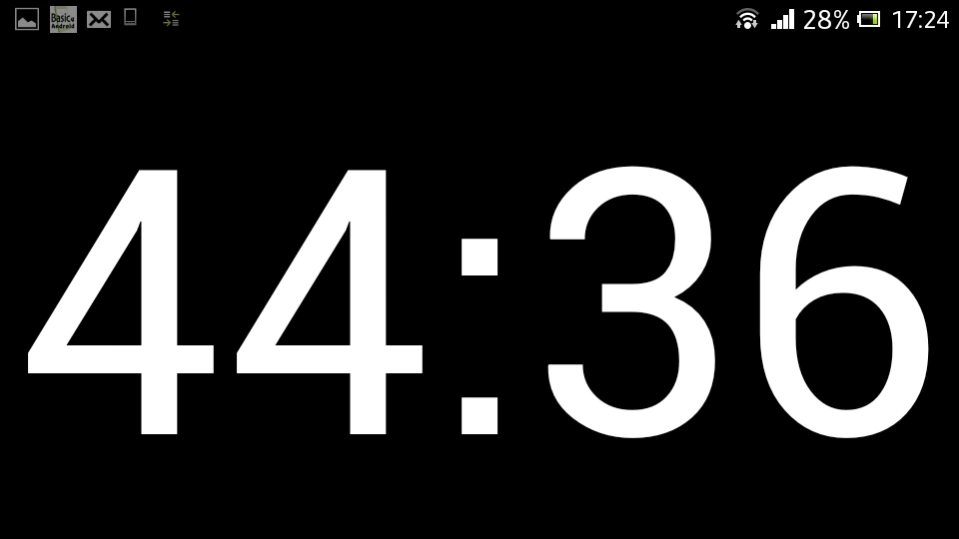
CronoActive is a preset chronometer. With a single click it starts counting backwards.
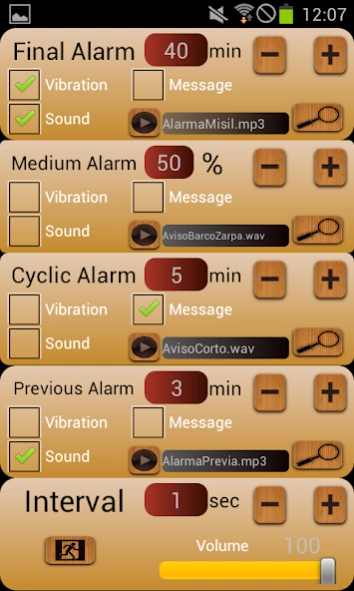
It hat 4 kinds of alarms/warinngs:
- Final Alarm: Sets when a previously established time is finished.
- Medium Alarm: Rings when a percent of time is done.
- Cyclic Alarm: Warns every X minutes.
- Previous Alarm: Activates when Y minutes are left to the final alarm to ring.
Each one of that warnings can be activated by sound or vibration.
Sounds are customizable, so you can play the sound file (mp3, wav, midi or ugg) you want. Volume is settable too.
And that all is independent of the mobile to be on silence.
Don't waste time! Manage your time with CronoActive.
About CronoActive
The company that develops CronoActive is José Luis García García. The latest version released by its developer is 2.9.
To install CronoActive on your Android device, just click the green Continue To App button above to start the installation process. The app is listed on our website since 2017-01-17 and was downloaded 0 times. We have already checked if the download link is safe, however for your own protection we recommend that you scan the downloaded app with your antivirus. Your antivirus may detect the CronoActive as malware as malware if the download link to b4a.CronoActive is broken.
How to install CronoActive on your Android device:
- Click on the Continue To App button on our website. This will redirect you to Google Play.
- Once the CronoActive is shown in the Google Play listing of your Android device, you can start its download and installation. Tap on the Install button located below the search bar and to the right of the app icon.
- A pop-up window with the permissions required by CronoActive will be shown. Click on Accept to continue the process.
- CronoActive will be downloaded onto your device, displaying a progress. Once the download completes, the installation will start and you'll get a notification after the installation is finished.
Program Details
System requirements
Download information
Pricing
Version History
version 2.9
posted on 2017-01-17
No ads.
With Notifications
---------------
version 2.9
posted on 2017-01-17
No ads.
With Notifications
---------------
Disclaimer
Official Google Play Link
We do not host CronoActive on our servers. We did not scan it for viruses, adware, spyware or other type of malware. This app is hosted by Google and passed their terms and conditions to be listed there. We recommend caution when installing it.
The Google Play link for CronoActive is provided to you by apps112.com without any warranties, representations or guarantees of any kind, so access it at your own risk.
If you have questions regarding this particular app contact the publisher directly. For questions about the functionalities of apps112.com contact us.
